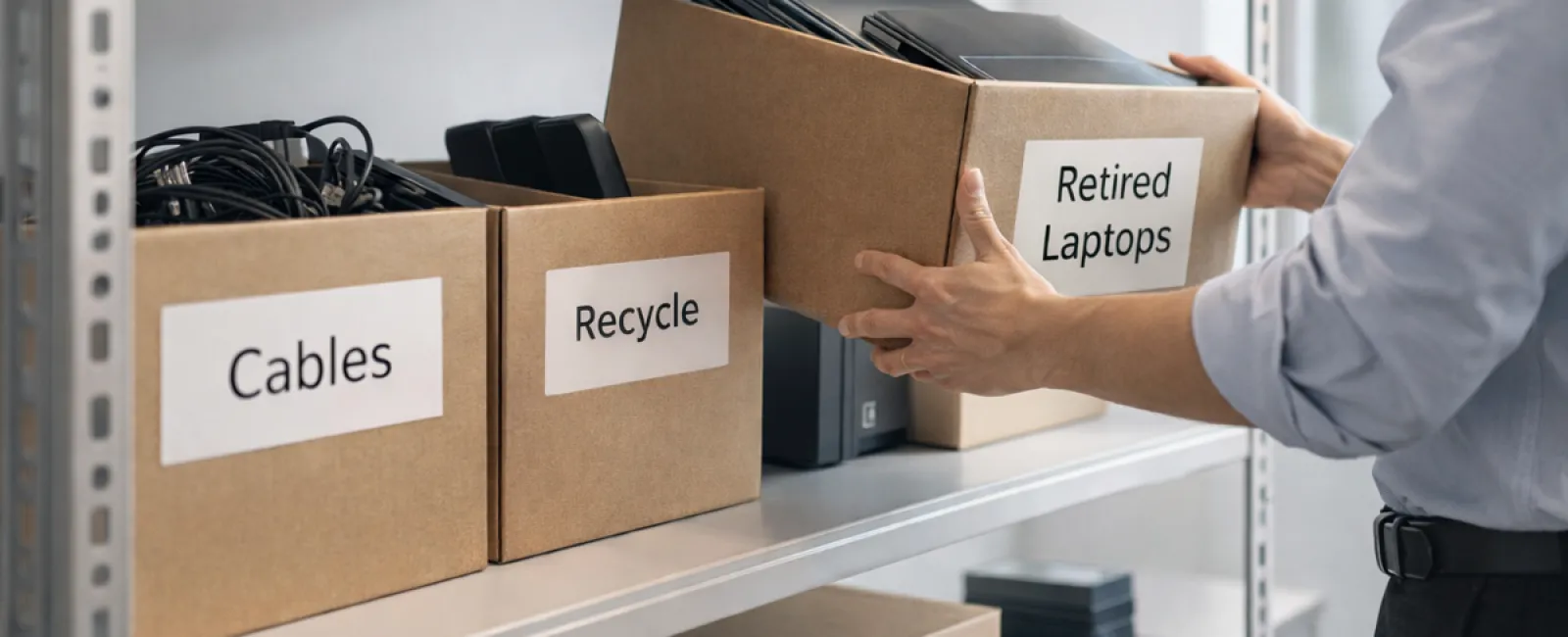
While spring cleaning often begins by organizing closets, the real challenge for most businesses is managing the clutter beyond the racks.
This clutter might be found on a server rack, stored away in a back office or storage room, or piled in a "we'll deal with later" heap.
Outdated laptops, decommissioned printers, obsolete backup drives from previous upgrades, and boxes of cables kept for "just in case" situations—every company collects these items over time.
The real question is not whether your business has accumulated this tech, but whether you have a plan to manage it effectively.
Technology Follows a Lifecycle — Beyond Its Purchase Date
Purchasing new technology generally has clear motivations: faster speeds, heightened security, enhanced capabilities, or to support growth.
While many companies carefully plan their technology acquisitions, far fewer strategize the retirement process.
Device retirement often happens quietly—a device is replaced, set aside, and eventually someone decides to clear the clutter.
That's a normal occurrence.
What's rarer is managing technology retirement with the same care and attention as the initial purchase.
Old equipment retains value—either through reuse, recycling of components, or merely due to the data it stores. Left neglected, it can create operational inefficiencies by occupying valuable space.
Spring offers a perfect opportunity to evaluate: which devices still serve your business, and which are just taking up room?
Four Steps to Effectively Manage Your Technology Cleanup
To turn this from a vague intention into action, apply our straightforward four-step process.
Step 1: Take Inventory
Identify exactly what equipment you're retiring — laptops, phones, printers, networking devices, external drives, and more. You can't manage what you haven't accounted for; a quick survey often reveals surprising amounts.
Step 2: Determine Each Device's Fate
Devices typically fall into three categories: reuse (internal redeployment or donation), recycle (via certified e-waste programs), or destruction (for devices with sensitive data). Making these decisions deliberately prevents hardware from languishing unused.
Step 3: Prepare Devices With Care
Proper preparation is crucial. For devices being reused or donated, remove them from management systems, revoke access, and wipe data thoroughly—not just through factory resets.
Deleting files or performing a quick format doesn't erase data; it simply hides its location. Blancco, a data security firm, discovered 42% of resold drives on eBay still contained sensitive info despite seller claims. Certified erasure tools overwrite all sectors and provide verification.
For recycling, use a certified e-waste provider instead of disposing improperly. Note that programs like Best Buy's recycling serve household customers only, not businesses.
Businesses need certified IT asset disposition (ITAD) services or certified e-waste recyclers with e-Stewards or R2 certification; directories are available at e-stewards.org and sustainableelectronics.org. Your IT partner often handles coordination.
If destruction is required, opt for certified data wiping or physical drive destruction methods like shredding or degaussing, and maintain detailed records of serial numbers, methods, dates, and handlers.
This process isn't paranoia; it's responsible closure.
Step 4: Document and Proceed
After equipment leaves your premises, track and record where it went, how it was handled, and confirm access removal. Proper documentation closes any open questions.
Overlooked Devices That Need Attention
Laptops tend to get the spotlight, but many other devices often go unnoticed.
Phones and tablets can still house business emails, contact lists, and authentication apps. Factory resets help, but certified mobile wipe tools ensure thorough cleaning. Manufacturers like Apple and Samsung offer trade-in programs for even older devices, often providing store credit.
Modern printers and copiers often contain internal storage that logs every printed, scanned, copied, or faxed document. When returning leased equipment, get written confirmation that the hard drive will be securely wiped or removed before reuse.
Batteries are hazardous waste per EPA standards. In states like California, New York, and Minnesota, discarding rechargeable batteries with regular trash is illegal for businesses. Safely remove them, tape terminals to avoid short circuits, and take to certified disposal points. Call2Recycle.org provides a locator, and retailers like Staples, Home Depot, and Lowe's accept them.
External drives and retired servers often remain tucked away longer than intended. They deserve the same careful retirement process as other tech assets.
Recycling Right Matters
Earth Day in April serves as a timely reminder of our responsibility.
Electronic waste should never reach landfills. Globally, over 62 million metric tons of e-waste are generated each year, but only about 22% is properly recycled. Batteries, monitors, and circuit boards require certified disposal channels, and many communities offer approved e-waste recycling for this purpose.
Handled correctly, technology retirement is efficient, eco-friendly, and strategically smart. You don't have to compromise between security and responsibility—you can achieve both.
Proper tech disposal also boosts your company's reputation. Customers notice businesses that quietly act responsibly.
A Bigger Perspective on Spring Cleaning
Spring cleaning is less about discarding and more about creating space and opportunity.
Removing outdated hardware is just part of the puzzle. Use this time to ask whether your technology aligns with your business goals and operational style.
While hardware cycles through, software, systems, automation, and workflow design are key drivers of productivity and profitability today.
Properly retiring old hardware keeps your environment tidy; ensuring your technology strategy supports your objectives propels your business forward.
How We Support Your Tech Journey
If your equipment retirement process is already well-established, that's perfect—it should be straightforward and routine.
As you replace old hardware thoughtfully, consider evaluating the broader picture: Are your systems integrated? Do your tools work seamlessly? Is your technology driving growth or merely maintaining the status quo?
We're here to help you step back and assess how your tech stack, systems, and workflows bolster your productivity and profits.
No equipment audits, no pressure—just a practical conversation about optimizing technology for your business.
Click here or give us a call at 702-896-7207 to schedule your free 15-Minute Discovery Call.
If this inspired you, feel free to share it with fellow business owners.
Don't stop spring cleaning at the closets—extend it to the systems powering your business.