
Cybersecurity
Multi-Factor Authentication Fails: 3 Ways Hackers Bypass MFA in 2026
Multi-factor authentication has become a standard security control for businesses protecting sensitive data and customer information. Yet despite widespread MFA adoption, attackers successfully breach MFA-protected accounts every day using techniques that exploit human behavior, session management weaknesses, and carrier vulnerabilities. Small business owners who assume MFA alone safeguards their systems face an uncomfortable truth: determined attackers bypass MFA regularly, and your security strategy must account for these known attack vectors.
Why Multi-Factor Authentication Alone Isn't Enough
Multi-factor authentication reduces account compromise risk by requiring two or more verification factors, but attackers have developed reliable methods to circumvent MFA through social engineering, session hijacking, and carrier exploitation. Businesses that treat MFA as a complete security solution rather than one layer in a defense-in-depth strategy remain vulnerable to credential-based attacks that bypass authentication controls entirely.
The Security Gap MFA Leaves Open
MFA adoption has risen sharply among accounting firms, healthcare practices, and other compliance-sensitive sectors. This widespread implementation has forced attackers to evolve their methods rather than abandon credential theft as an attack vector.
The three bypass techniques detailed below represent the most common MFA circumvention methods security teams encounter in 2026. Each exploits a different weakness: human psychology, technical implementation gaps, or third-party service vulnerabilities.
Method 1: MFA Fatigue Attacks (Push Notification Bombing)
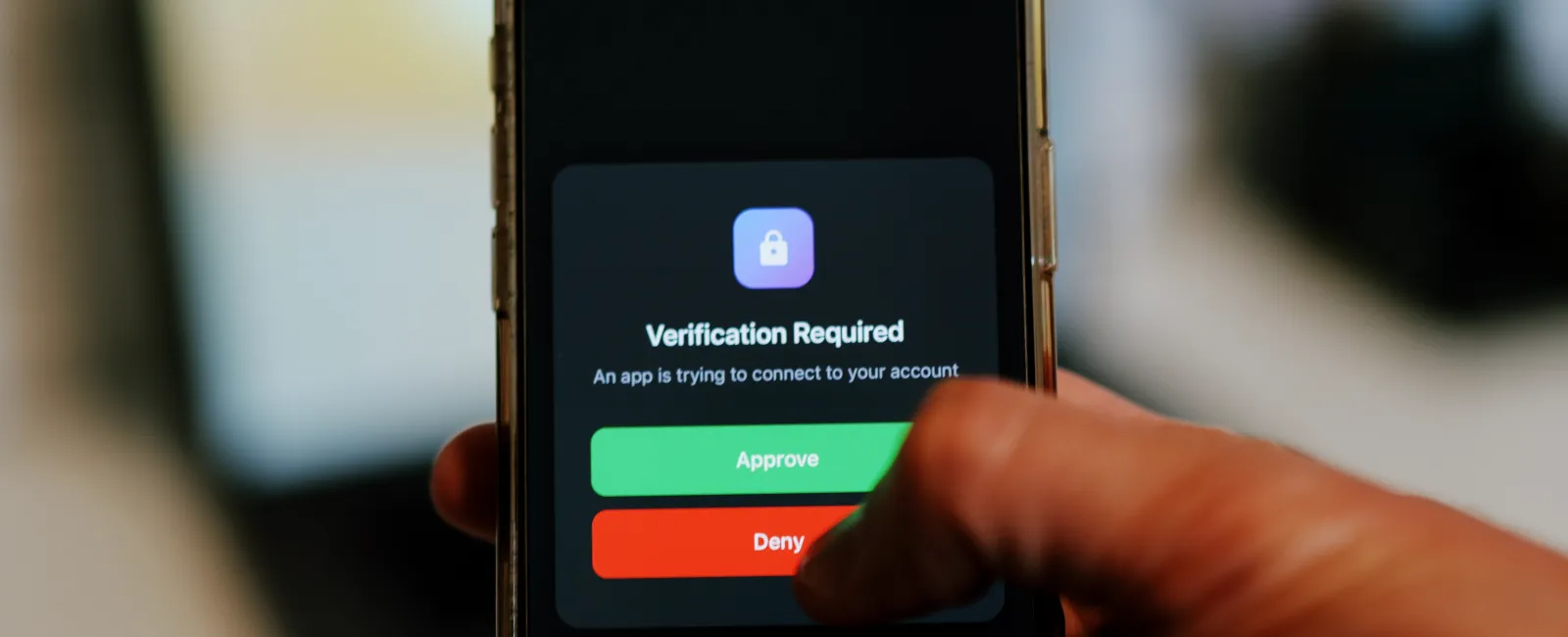
MFA fatigue attacks occur when threat actors flood a user's authentication app with dozens or hundreds of push notification approval requests until the exhausted user accepts one to stop the alerts. This social engineering technique exploits the psychological pressure created by repeated interruptions rather than any technical vulnerability in the MFA system itself.
How Push Notification Bombing Works
Attackers begin by obtaining valid credentials through phishing, credential stuffing, or password reuse. With the username and password in hand, they initiate login attempts that trigger MFA push notifications on the legitimate user's device. The attack then follows a predictable cycle: trigger a push, wait for the user to deny it, trigger another immediately, and repeat. This continues dozens or hundreds of times over minutes or hours until the user either approves one notification to stop the flood or the attacker contacts them directly impersonating IT support. If the user approves, the attacker gains authenticated access immediately.
Real-World Impact on Business Operations
MFA fatigue attacks have successfully compromised enterprise accounts at major corporations despite mature security programs. Attackers often launch these campaigns during off-hours when users are home, tired, and more likely to approve a request without scrutiny just to silence their phone. Small businesses face particular risk because employees may lack security awareness training that teaches them to report suspicious MFA requests rather than approve them. The attack requires no sophisticated tooling — just stolen credentials and persistence.
Warning Signs Your Business Should Monitor
- Multiple denied MFA requests: Users report repeated push notifications they did not initiate, especially during evenings or weekends.
- Login attempts from unusual locations: Authentication logs show attempts from geographic regions where your business has no presence.
- Unexpected account lockouts: Users find themselves locked out after multiple failed authentication attempts they did not trigger.
- Employee complaints about notification spam: Staff mention being bombarded with approval requests they can't explain.
Method 2: Session Cookie Theft and Man-in-the-Middle Attacks
Session cookie theft allows attackers to bypass MFA entirely by stealing the authenticated session token a web application creates after a user successfully completes the MFA challenge. Once the attacker possesses this session cookie, they can access the application as the legitimate user without needing to authenticate again.
Understanding Session Hijacking Mechanics
When a user successfully logs in with username, password, and MFA, the application generates a session cookie as proof of authentication. Any request that includes a valid session cookie gets trusted by the application automatically. Attackers steal these cookies through adversary-in-the-middle (AiTM) proxy servers embedded in phishing kits. The phishing kit sits between the victim and the legitimate application: when the user enters credentials on the fake login page, the kit forwards them to the real application in real time, captures the resulting session cookie after the user completes MFA, and forwards that cookie to the attacker. The victim sees the real application and believes they logged in normally. The attacker now has a valid authenticated session and can access the application without ever touching MFA.
Phishing Kits That Automate MFA Bypass
Modern phishing toolkits require minimal technical skill to deploy. Threat actors purchase or rent these kits on dark web marketplaces and the kit handles all technical complexity automatically — domain spoofing, SSL certificates, real-time credential proxying, and session cookie extraction. The attack is invisible to the victim because they complete the entire authentication process on what appears to be the legitimate site. The phishing page displays the real company's branding, uses HTTPS encryption, and may use a domain name that closely resembles the authentic URL. Even vigilant users who examine URLs and look for security indicators can fall victim, which is why the only reliable defenses against this technique operate at the technical layer rather than relying on user detection alone.
Method 3: Social Engineering and SIM Swapping
SIM swapping attacks defeat SMS-based MFA by convincing mobile carriers to transfer a victim's phone number to a SIM card controlled by the attacker. Once the attacker controls the victim's phone number, they receive all SMS-based MFA codes sent to that number, granting full access to any account using SMS as a second factor.
How Attackers Hijack Phone Numbers
SIM swap attacks exploit the customer service processes mobile carriers use to help legitimate customers who lose their phones or switch devices. Attackers gather personal information about the target through social media, data breaches, or social engineering, then contact the carrier claiming to be the victim. Common information attackers use includes date of birth, address, last four digits of a Social Security number, and recent phone numbers the victim called. Once the carrier ports the number to the attacker's SIM, the victim's phone loses service immediately. The attacker then initiates password resets on target accounts, receives the SMS verification codes, changes passwords to lock out the legitimate user, and proceeds through every account tied to that phone number.
Why SMS-Based MFA Remains Dangerous
Security professionals have warned against SMS-based MFA for years, yet many businesses and consumer services still default to text message codes as their primary MFA option. Beyond SIM swapping, SMS carries additional vulnerabilities: the SS7 protocol that routes SMS messages contains known security flaws that sophisticated attackers can exploit to intercept messages without touching the SIM card, carrier employees have been bribed to perform SIM swaps on behalf of criminals, and mobile malware can intercept SMS codes before the user sees them. Any account protected only by SMS-based MFA should be considered meaningfully less secure than one using an authenticator app or hardware key.
How Las Vegas Businesses Can Strengthen MFA Implementation
Businesses strengthen MFA security by implementing number matching for push notifications, replacing SMS-based codes with authenticator apps or hardware security keys, configuring conditional access policies that block suspicious login attempts, and training employees to recognize and report MFA bypass attempts rather than approving questionable authentication requests.
Number Matching and Context-Aware Notifications
Number matching defeats MFA fatigue attacks by requiring conscious user interaction beyond a simple tap-to-approve gesture. The user must look at both the login screen and the authentication app, identify the correct number, and select it from the options presented. Accidental approval becomes nearly impossible. Pairing number matching with context-aware notifications — which display the requesting application name, geographic location, device type, and IP address — lets users identify suspicious requests immediately when the notification shows a login from a city they have never visited.
Moving Beyond SMS to Stronger MFA Methods
Organizations should audit their MFA implementations and eliminate SMS-based codes wherever possible. The improvement from any MFA over passwords alone is significant, but the gap between SMS and stronger methods is equally meaningful:
| MFA Method | Security Level | Vulnerable To | Best Use Case |
|---|---|---|---|
| SMS Codes | Basic | SIM swapping, phishing, interception | Low-sensitivity accounts only |
| Authenticator Apps | Strong | Phishing with AiTM proxy, device malware | Standard business applications |
| Hardware Security Keys | Highest | Physical theft (with PIN protection) | Administrator accounts, sensitive systems |
| Biometric + Device | Very Strong | Advanced device compromise | Mobile workforce, executive access |
Conditional Access Policies That Block Anomalous Logins
Conditional access represents the control layer that determines when MFA challenges appear and when login attempts are blocked outright. Microsoft 365 security configurations include conditional access as a core feature, allowing administrators to create rules that enforce security requirements dynamically. Common policies that strengthen MFA include blocking login attempts from countries where your business has no operations, requiring access only from company-owned devices enrolled in mobile device management, forcing additional verification for any login outside the corporate network, and enforcing hardware key authentication for financial systems while allowing app-based MFA for lower-risk applications.
Employee Training That Addresses MFA Bypass Specifically
Security awareness training must address MFA bypass techniques directly rather than treating MFA as an unbreakable control. Employees need to understand that MFA prompts they did not initiate represent active attacks requiring immediate reporting — not something to approve just to stop the notifications. Effective training covers: never approving unexpected MFA requests, bookmarking frequently used applications rather than clicking email links, reporting multiple MFA denials to IT immediately, using unique passwords across accounts so that one breach doesn't enable attacks across dozens of others, and protecting personal information on social media that helps attackers execute SIM swaps.
Building a Layered Cybersecurity Strategy Beyond MFA
Effective cybersecurity defense requires multiple overlapping controls where MFA serves as one authentication layer supported by endpoint detection tools that identify compromised devices, security information and event management systems that correlate login anomalies, and incident response procedures that contain breaches when attackers bypass perimeter controls. No single technology stops all attacks.
Endpoint Detection and Response
Endpoint Detection and Response (EDR) solutions monitor device behavior to identify compromised endpoints even when attackers successfully authenticate. These systems detect unusual processes, unauthorized file modifications, and suspicious network communications that occur after MFA bypass. Modern EDR platforms use behavioral analysis to flag anomalies like credential dumping tools, lateral movement patterns, and data exfiltration attempts that indicate post-compromise activity. Organizations should configure EDR to alert security teams when authenticated sessions exhibit suspicious characteristics such as impossible travel scenarios, unusual resource access, or abnormal data transfers.
Security Information and Event Management (SIEM)
SIEM systems correlate authentication events with other security data to identify patterns invisible to isolated tools. By analyzing MFA approval timestamps alongside VPN connections, application access logs, and endpoint telemetry, SIEM platforms detect anomalies such as multiple failed MFA attempts followed by a successful authentication (suggesting a fatigue attack), authentication tokens used from new devices without corresponding MFA challenges (suggesting session hijacking), privileged account access at unusual hours, and rapid sequential logins across multiple applications. Effective SIEM implementation requires continuous tuning to match organizational behavior patterns while maintaining sensitivity to genuine threats.
Zero Trust Architecture
Zero Trust principles assume breach and verify every access request regardless of network location or previous authentication. Rather than trusting users once they pass MFA, Zero Trust architectures continuously validate access through context-aware authentication that evaluates device health, location, and user behavior before granting access; least privilege access that limits permissions to only resources necessary for specific tasks; microsegmentation that restricts lateral movement by isolating network segments; and continuous verification that re-authenticates high-risk actions even within active sessions. This approach treats MFA as the first authorization check rather than the final security boundary. Our cybersecurity services help Las Vegas businesses implement these layered controls in a way that fits their size and risk profile.
Incident Response Planning for MFA Bypass Scenarios
Despite preventive controls, organizations must prepare for successful MFA bypass attacks through documented response procedures. Effective incident response plans specifically address authentication compromise scenarios with predefined actions that minimize damage and recovery time.
Detection and Initial Response
When MFA-protected accounts show compromise indicators, security teams should immediately revoke all active sessions for the compromised account across all applications, disable the affected account until investigation confirms the compromise scope, invalidate all authentication tokens and API keys associated with the account, and capture authentication logs and endpoint forensic images before evidence expires. Speed matters here — every minute an attacker maintains authenticated access increases exposure.
Investigation, Containment, and Recovery
Thorough investigation determines the attack method, which systems were accessed, and what data was exposed. Analysts should examine authentication logs to identify the initial compromise vector, review accessed resources to determine what the attacker viewed or exfiltrated, check for lateral movement to additional accounts or systems, and look for persistence mechanisms like created service accounts or modified permissions. Containment extends beyond the initial compromised account to every system the attacker touched during their session. Recovery should include credential resets via verified out-of-band communication, updated security controls addressing the gap that allowed the bypass, a post-incident review, and updated security training using the real incident as a teaching example.
Frequently Asked Questions
Can hackers bypass MFA on all types of accounts?
Hackers can potentially bypass MFA on any account type, but difficulty varies significantly by implementation. SMS codes and push notifications are the most vulnerable. Phishing-resistant methods like FIDO2 hardware keys and platform biometric authentication provide much stronger protection because they use cryptographic signatures that verify both your identity and the legitimate website — making them resistant to phishing, man-in-the-middle attacks, and session hijacking. Accounts using these advanced MFA methods require significantly more sophisticated attacks to compromise. Organizations should prioritize phishing-resistant MFA for administrator accounts, financial systems, and email, where a breach causes the most damage.
How can I tell if someone is trying to bypass my MFA?
The clearest warning sign is receiving MFA push notifications or SMS codes you did not initiate — especially multiple in rapid succession. Other indicators include login notifications from unfamiliar locations or devices, password reset requests you did not submit, and unexpected account lockouts. If you experience any of these, immediately deny all pending MFA requests, change your password from a trusted device, review recent account activity for unauthorized access, and notify your IT security team. Do not approve a notification just to make the alerts stop — that is exactly what the attacker is counting on.
Should businesses still use MFA if hackers can bypass it?
Absolutely. Despite bypass techniques, MFA remains one of the most impactful security controls available to small businesses. Microsoft research shows MFA prevents 99.9% of automated credential attacks, and the vast majority of opportunistic attackers will move on to easier targets rather than invest in sophisticated bypass methods. The right response to MFA bypass techniques is to implement stronger MFA methods (authenticator apps and hardware keys over SMS), layer additional controls like conditional access and EDR, and train employees on what suspicious MFA activity looks like. Abandoning MFA because it is not perfect would leave businesses dramatically more exposed than they are today.
What is the most secure type of MFA that hackers cannot easily bypass?
Hardware security keys using FIDO2/WebAuthn standards provide the strongest available MFA protection. These physical devices create cryptographic signatures that verify both your identity and the legitimate website, making them resistant to phishing, man-in-the-middle proxies, and session hijacking. Unlike SMS codes or push notifications, the key's cryptographic verification cannot be intercepted or socially engineered. Platform authenticators built into modern devices — Windows Hello, Touch ID, Face ID — offer similar cryptographic protection for mobile and laptop use. For maximum security, organizations should prioritize these phishing-resistant methods for privileged accounts and any system storing sensitive customer or financial data.
Can hackers bypass MFA on mobile banking apps?
Yes. Banking trojans can intercept SMS codes, overlay fake login screens on legitimate apps, and manipulate transaction details before they are submitted. SIM swapping gives attackers control of the phone number receiving verification codes. To protect mobile banking access, enable biometric authentication within the app wherever possible, use app-based authenticators instead of SMS when the option exists, never click links in unexpected banking messages (type URLs directly or use bookmarks), keep your phone's operating system and apps updated, and set up transaction alerts so unusual activity is flagged immediately.
What should companies do if their MFA system has been compromised?
Move quickly on four fronts simultaneously. First, contain: isolate affected accounts and systems, force password resets for all potentially impacted users, and revoke all authentication tokens and active sessions. Second, investigate: review access logs to identify unauthorized activity, determine what data the attacker accessed, and look for persistence mechanisms like newly created accounts or modified permissions. Third, notify: inform affected users with specific guidance, report to relevant authorities if regulations require it, and engage legal counsel if customer data was exposed. Fourth, improve: upgrade to more secure MFA methods, implement conditional access policies that would have flagged the suspicious login, enhance monitoring capabilities, and update security training using the real incident as a concrete example for staff.
Find Out If Your MFA Implementation Has These Gaps
Most Las Vegas businesses don't know which MFA bypass risks apply to their specific setup until something goes wrong. Our team reviews your current authentication controls, identifies the weak points, and helps you close them before attackers find them first.
Schedule a free discovery call to get a clear picture of where your authentication security stands.
Schedule Your Free Discovery Call
Prefer to talk now? Call us at (702) 896-7207